Free Shipping for Orders over PKR 99,000
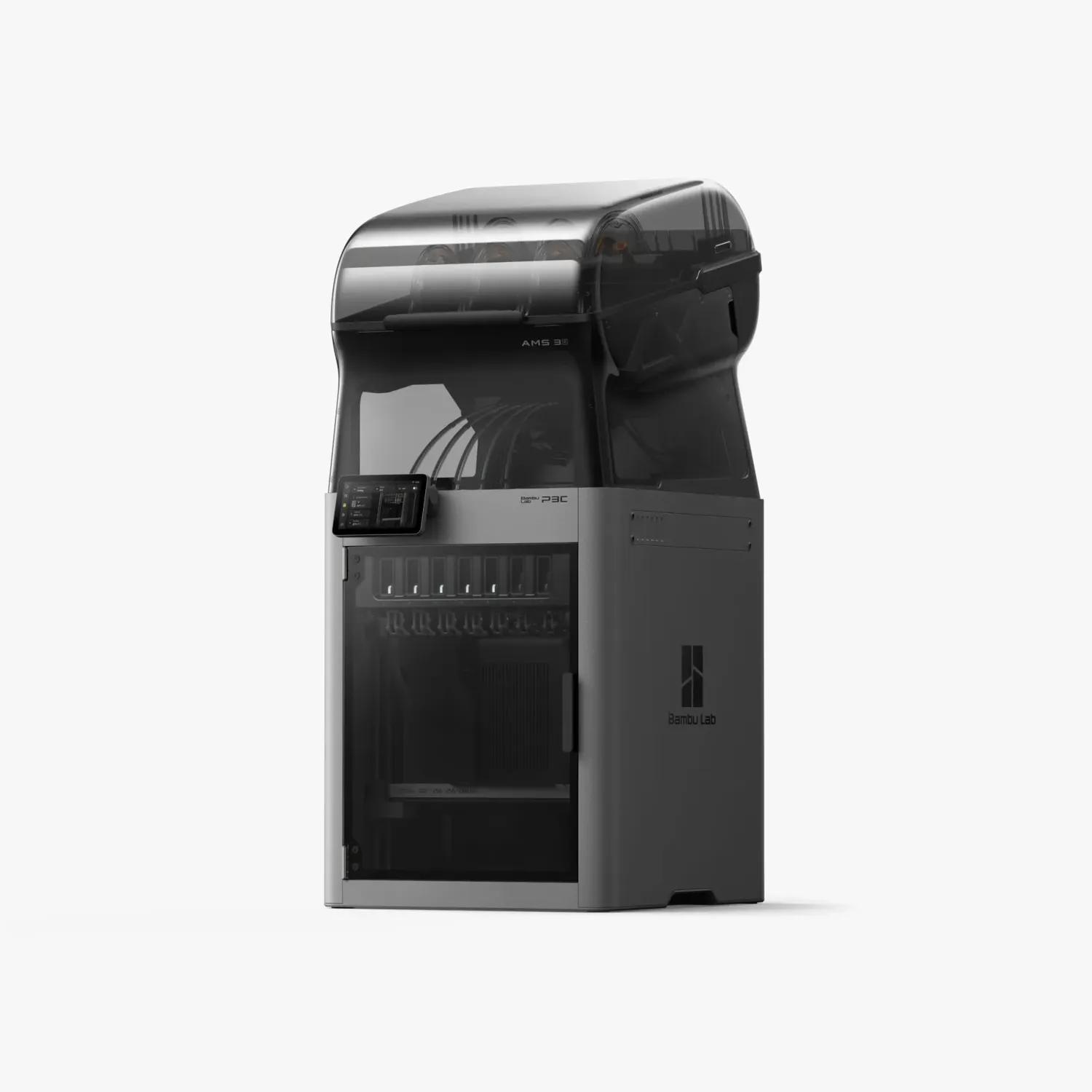
Bambu Lab P3C 3D Printer
SKU PF006-P+SA018-UK
PKR 1,299,990
PRE-ORDER
was PKR 1,550,000 Save PKR 250,010
7-Tool SwapTek™ System, 6-Second Material Switching, Integrated AMS 3P & Advanced Multi-Material 3D Printing
Out of stock, available for pre-order, Delivered in 1 ~ 4 Months
1
Customer reviews
Reviews only from verified customers
No reviews yet. You can buy this product and be the first to leave a review.
Bambu Lab P3C 3D Printer
Product Details
Brand: BAMBU LAB
Bambu Lab P3C

At a Glance
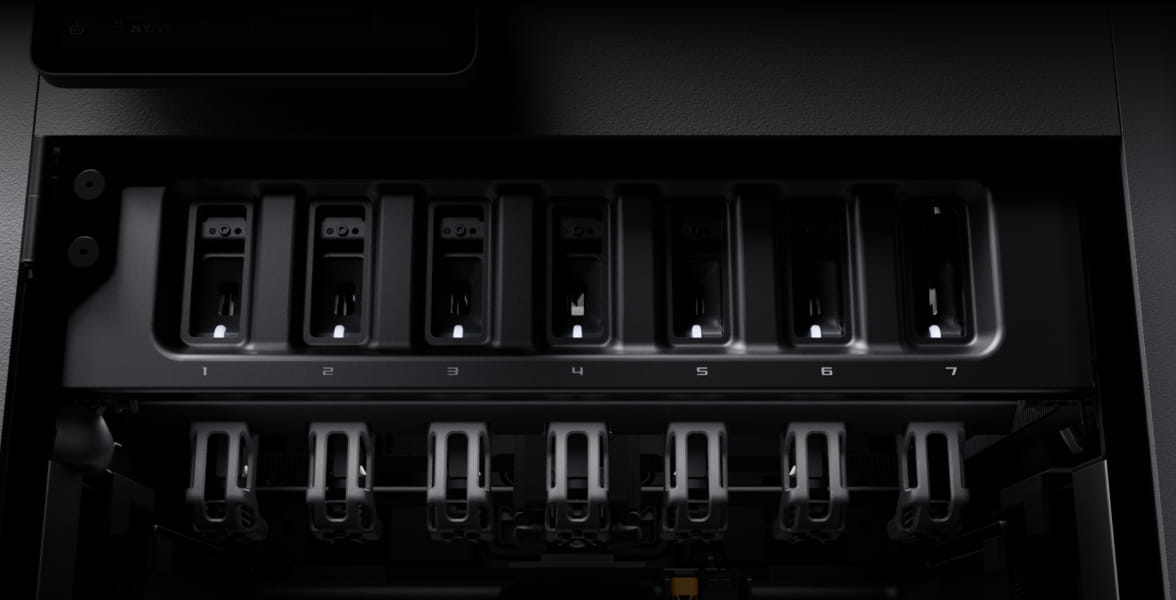
Up to 7 Materials in a Single Print
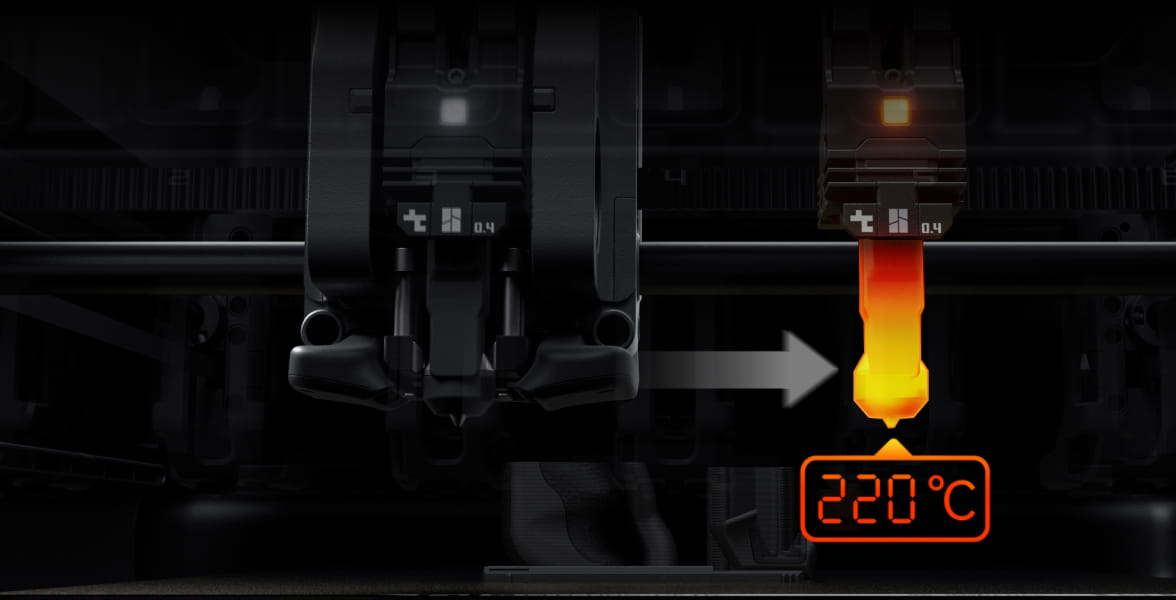
Switch Materials in as Little as 6 Seconds.

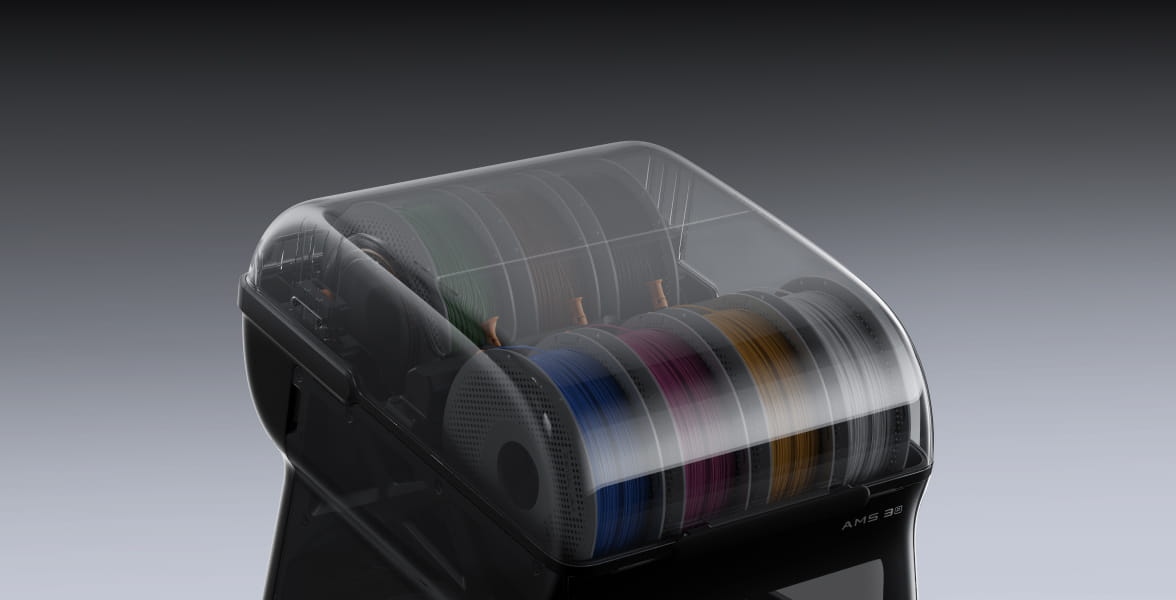
Fully Enclosed Filament Storage and Feeding.
Cut, Draw, and Deboss with Optional CraftTools.
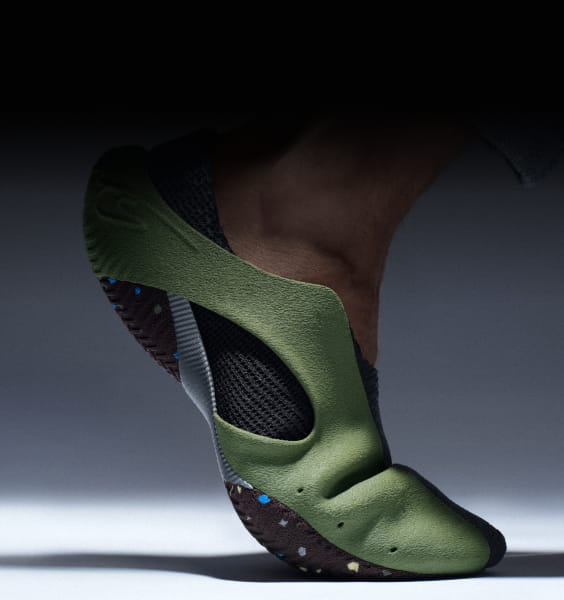
Ultra-Soft TPU. Up
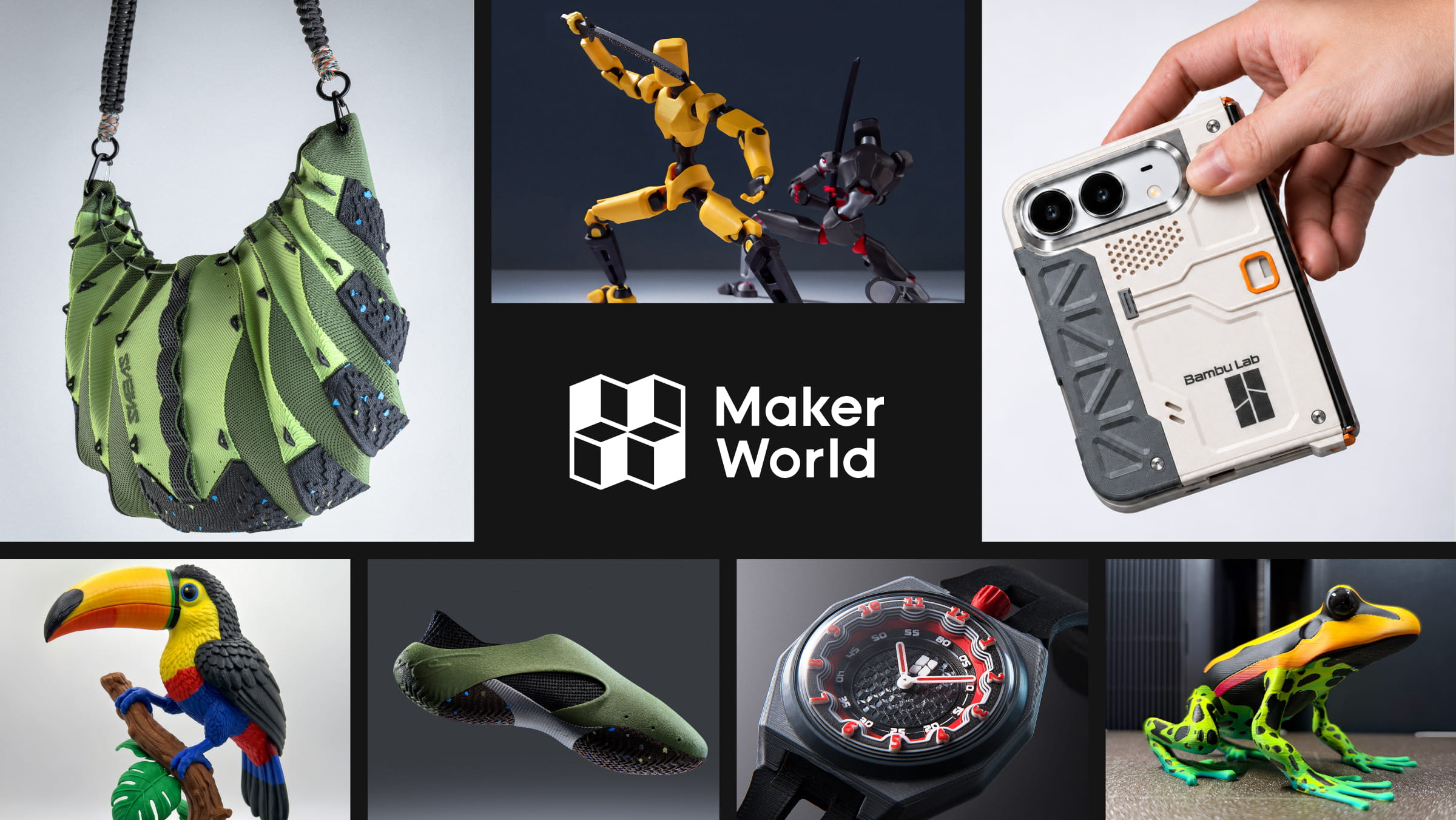
Unlock the Full Potential of Your P3C with Over 3 Million Free Models
MakerWorld is where the models live — print-ready, tested, and built to use every tool your printer has. Multi-material, multi-color, print-in-place: someone's already made it, and it's waiting for you.
Swaptek™ - Switch Materials. Keep Things Moving.
Build color into a design or combine rigid and flexible materials in one print. Swaptek gives each PrintTool its own filament path and heater, avoiding repeated unloading and reloading. Active Pre-Heat gets the next nozzle ready while the current one prints, so printing can resume with the next material in as little as 6 seconds.*
0.038 g Low Purge
3.4s Tool Switch
Optional CraftTools
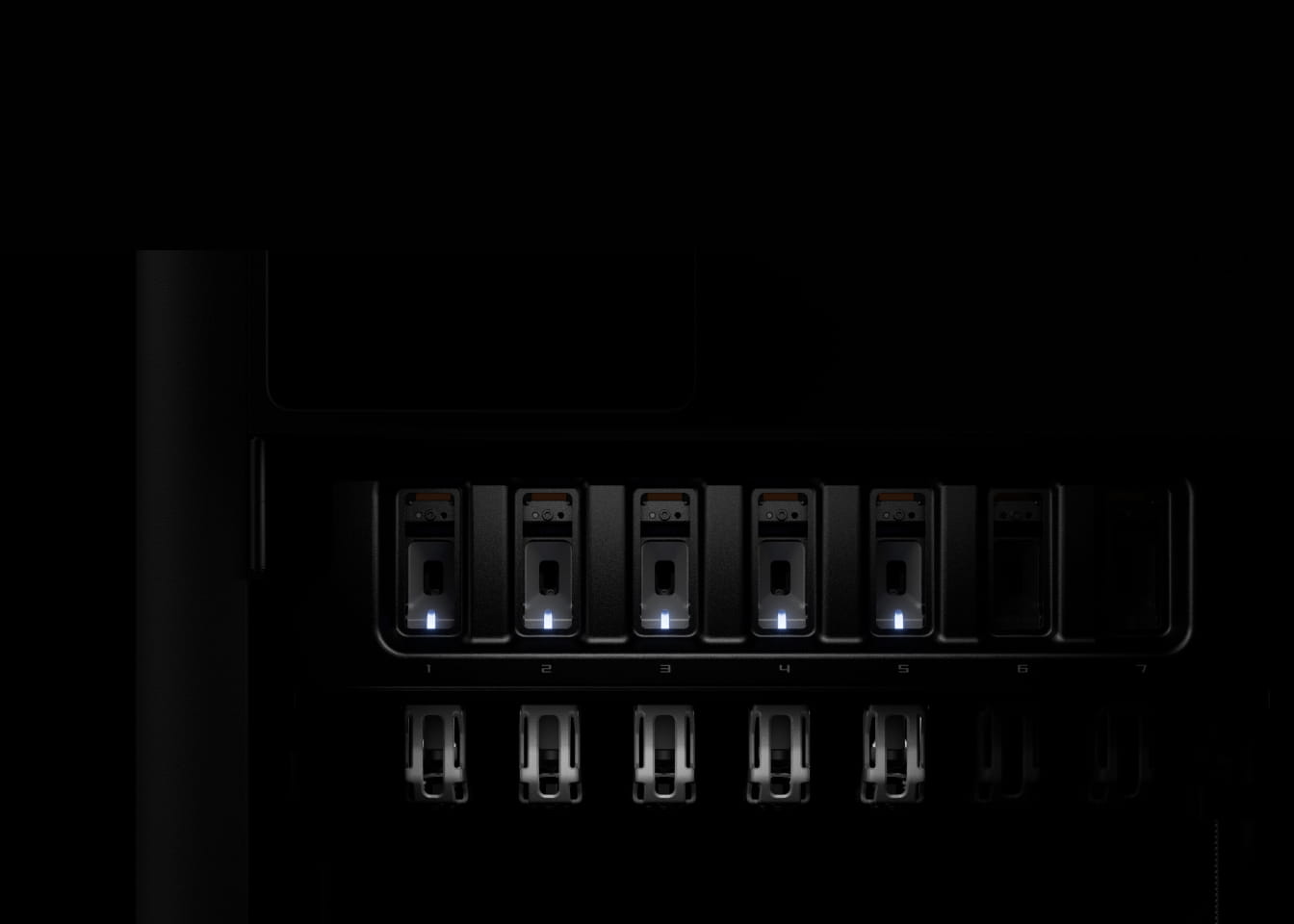
Active Pre-Heat
The Next Nozzle Gets a Head Start.
Active Pre-Heat starts warming the next nozzle while the current one is still printing, reducing the wait at a tool change. Printing can resume with the next material in as little as 6 seconds.
Color Mixing
Five Base Colors. A Broader Palette.
From subtle petal gradients to beautifully shaded figurines, it all starts with five base colors. Using specialized filaments, CMYKW color mixing creates a broad spectrum of shades through layered deposition, without requiring a separate spool for every color.* Swaptek™ accelerates the frequent PrintTool changes needed to bring these vibrant color transitions to life.
FlexFeed Extruder
A Softer Side to 3D Printing.
Bring a softer, more comfortable feel to your flexible prints. FlexFeed supports both 1.75 mm and 2.85 mm filaments, while the optional dedicated TPU PrintTool pairs with our 2.85 mm TPU for more reliable feeding. Print materials as soft as 75A with up to 3× the maximum volumetric flow rate.
Thicker TPU filament is more resistant to bending and buckling as it travels toward the nozzle. FlexFeed maintains a consistent grip and controlled tension, ensuring smooth, reliable feeding even with ultra-soft TPU.
Droid 0
A posable figure used to mean assembling each joint from separate parts. Here the joints come out of the printer already working — 75A TPU printed in place between rigid shells, grippy enough to hold a pose and flexing instead of snapping when it's handled. Snap the limbs on and it's ready to play with.

SVEINS Byway Moc
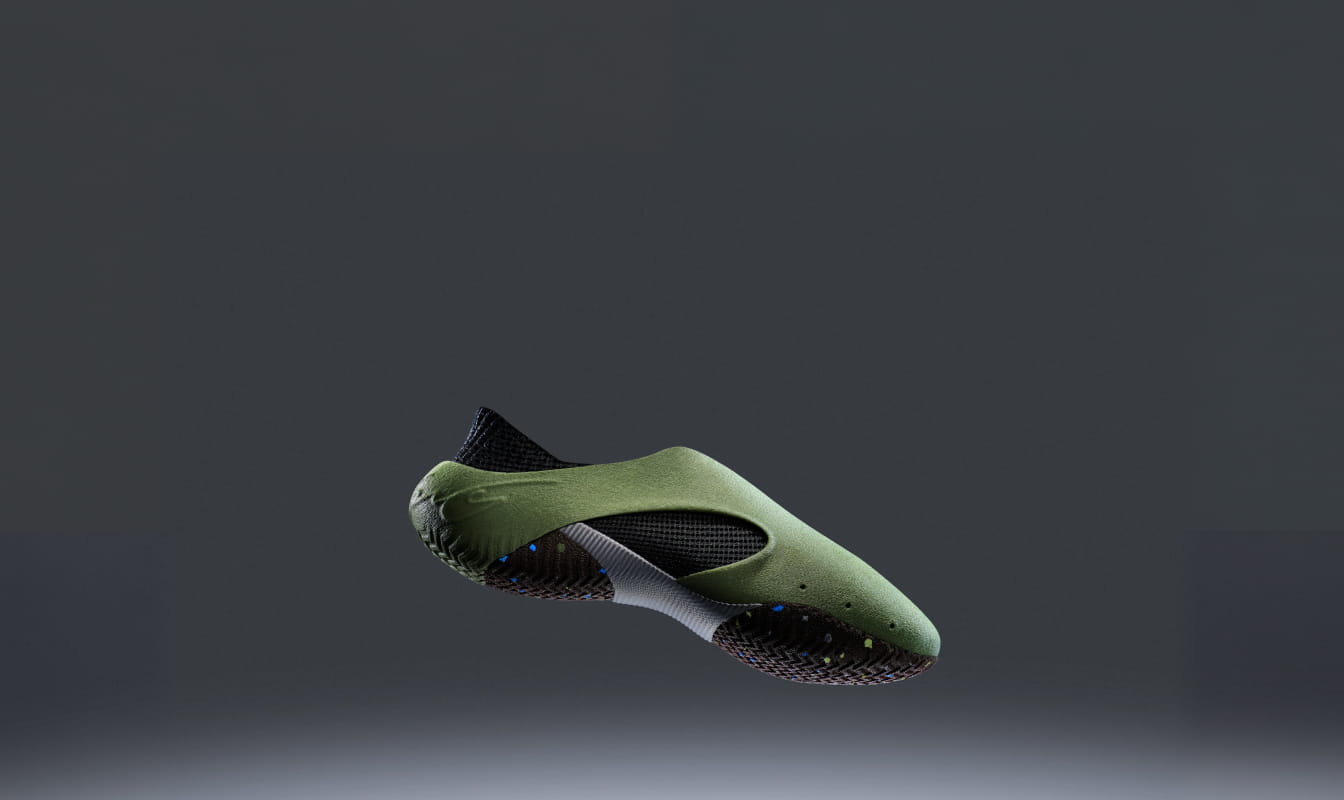
Soft, flexible 75A TPU forms the upper and the sole beneath your foot, enhancing pedal feedback for precise throttle control and smoother heel-toe downshifts. Durable 90A TPU forms the outsole, providing a firmer surface where the shoe meets the ground. Two hardness levels, one seamless print. No glue, no assembly.
Mixed Nozzle Sizes*
Speed Where You Want It. Detail Where It Matters.
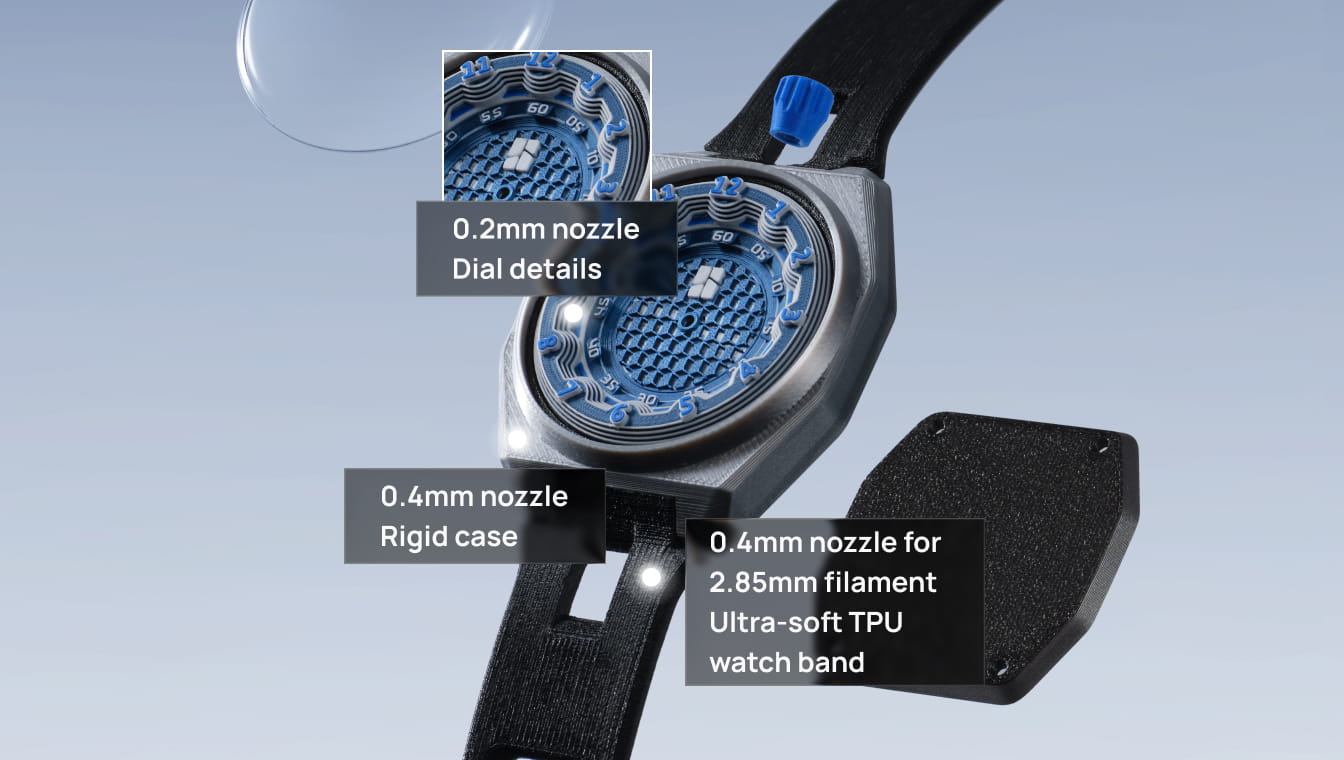
The dial, case, and flexible TPU band come together in a single print. A 0.2 mm nozzle captures the intricate dial details, while a 0.4 mm nozzle handles the case and a dedicated 0.4 mm TPU nozzle prints the flexible band. With multiple PrintTools supporting different nozzle sizes, the P3C combines precision and material versatility in one print. Bambu Studio's new mixed-diameter toolpath planning algorithm allows each PrintTool to use its own optimized layer height, delivering fine details and efficient printing without compromising either.
Retractable Rack
Watch It Take Shape.
Watching a print come to life is part of the magic of 3D printing. That's why the rack retracts out of view, giving you a clear look inside the chamber. Watch the first layer take shape, colors come together, and intricate details emerge. Sometimes, watching the process is just as satisfying as the finished print.
More Than 3D Printing (Optional)
A Gift with a Personal Touch.
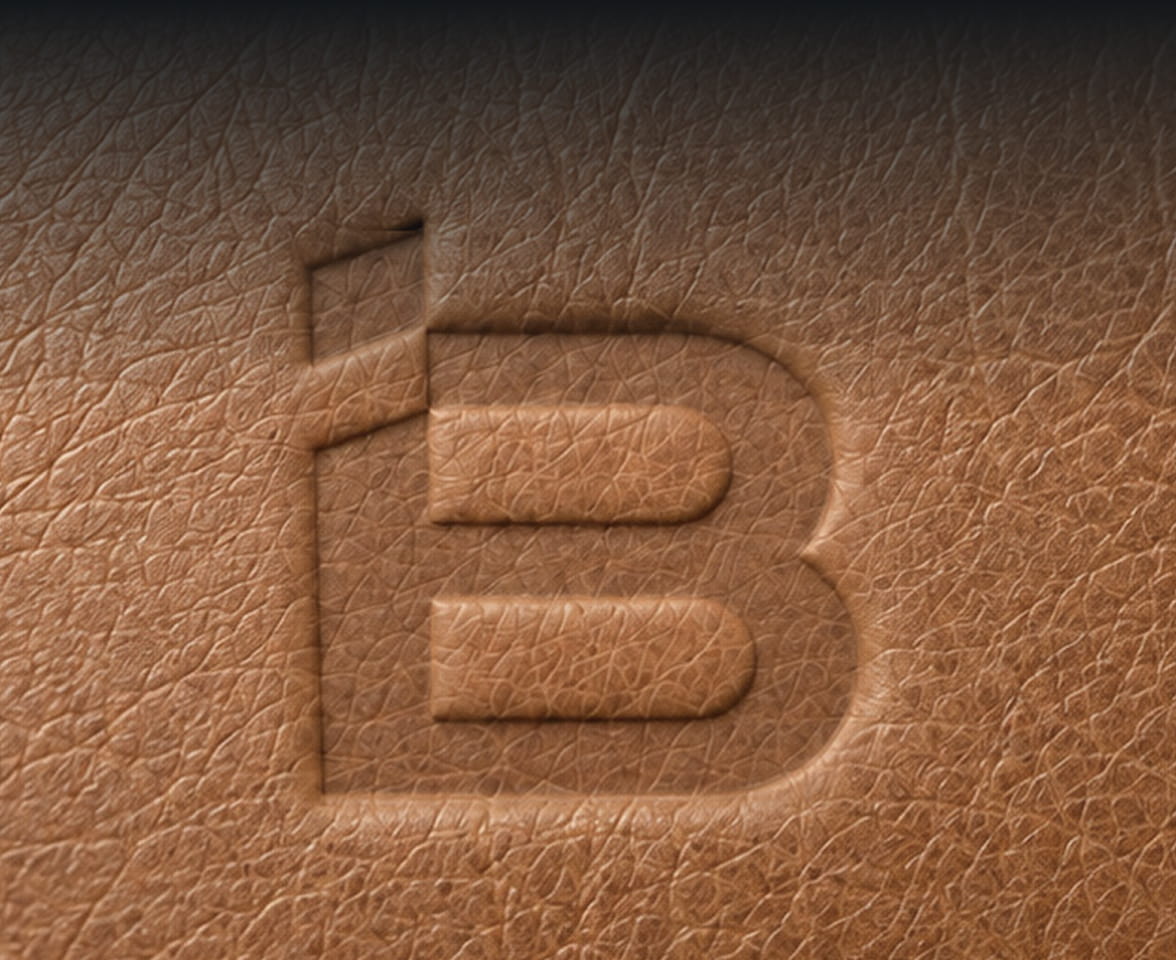
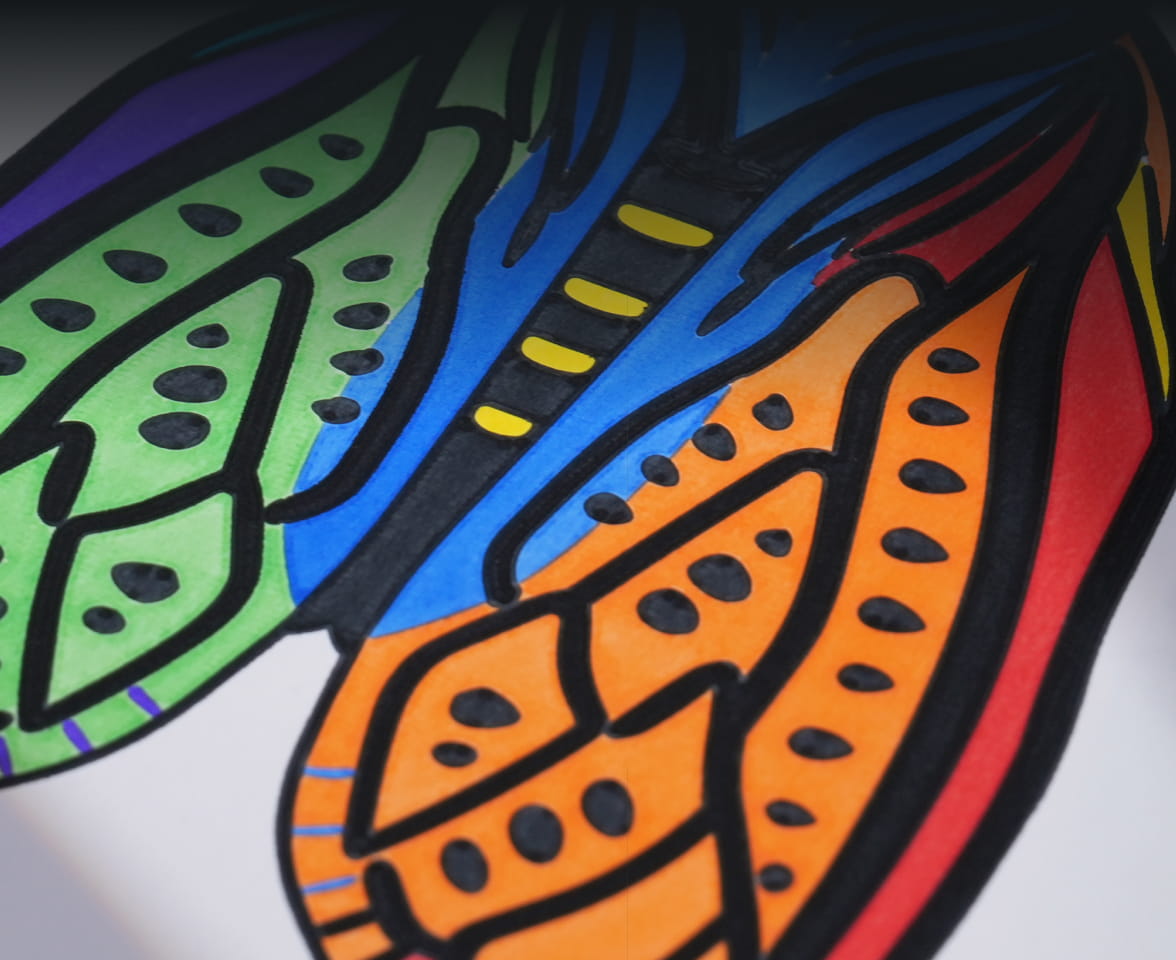
Print a keepsake, then create a personalized card to match. With the optional CutTool, DrawTool, and DebossTool, you can cut, draw, and add embossed details to your designs.* Swaptek™ automatically switches between CraftTools during compatible projects, letting you focus on creating instead of changing tools by hand.
Deboss
Blade Cut

Draw
Foil Transfer

Two Open Slots
Build Your Own System.
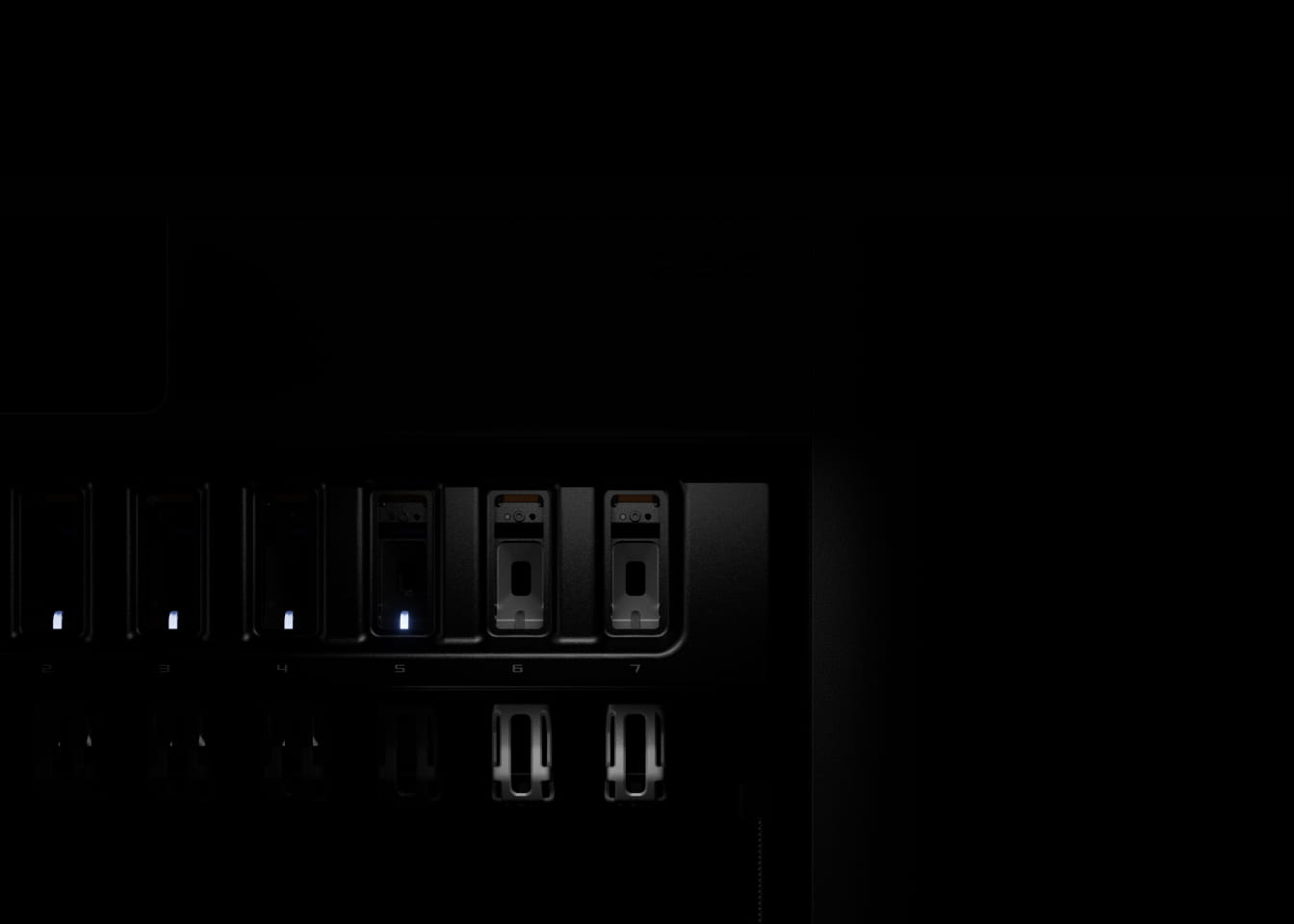
The P3C comes equipped with five 0.4 mm PrintTools and two additional slots for optional tools.* Expand your creative possibilities with a dedicated 2.85 mm TPU PrintTool for soft, flexible prints, or add the optional CraftTool Kit to cut, draw, and deboss your designs.
5 Standard PrintTools
The P3C comes equipped with five 0.4 mm PrintTools, each featuring a hardened-steel nozzle. With one PrintTool dedicated to each CMYKW color, full-spectrum color mixing is ready right out of the box. Hardened-steel nozzles also support abrasive engineering-grade filaments, giving you greater material versatility without the need for additional upgrades.
2 Open Slots
Expand your creative possibilities with tools designed for your next project. The optional dedicated 2.85 mm TPU PrintTool unlocks ultra-soft, flexible printing, while the CraftTool Kit adds cutting, drawing, and debossing capabilities. All CraftTools use the same mounting system and switch automatically with Swaptek™.
Designed for Everyday Ease
From loading filament to troubleshooting, the P3C simplifies everyday printing. Integrated filament storage keeps your workspace organized, automatic calibration ensures precise PrintTool alignment, and on-screen guidance helps you resolve common issues. Spend less time managing your printer and more time bringing your ideas to life.
AMS 3P - Seven Spools, Right Where You Need Them
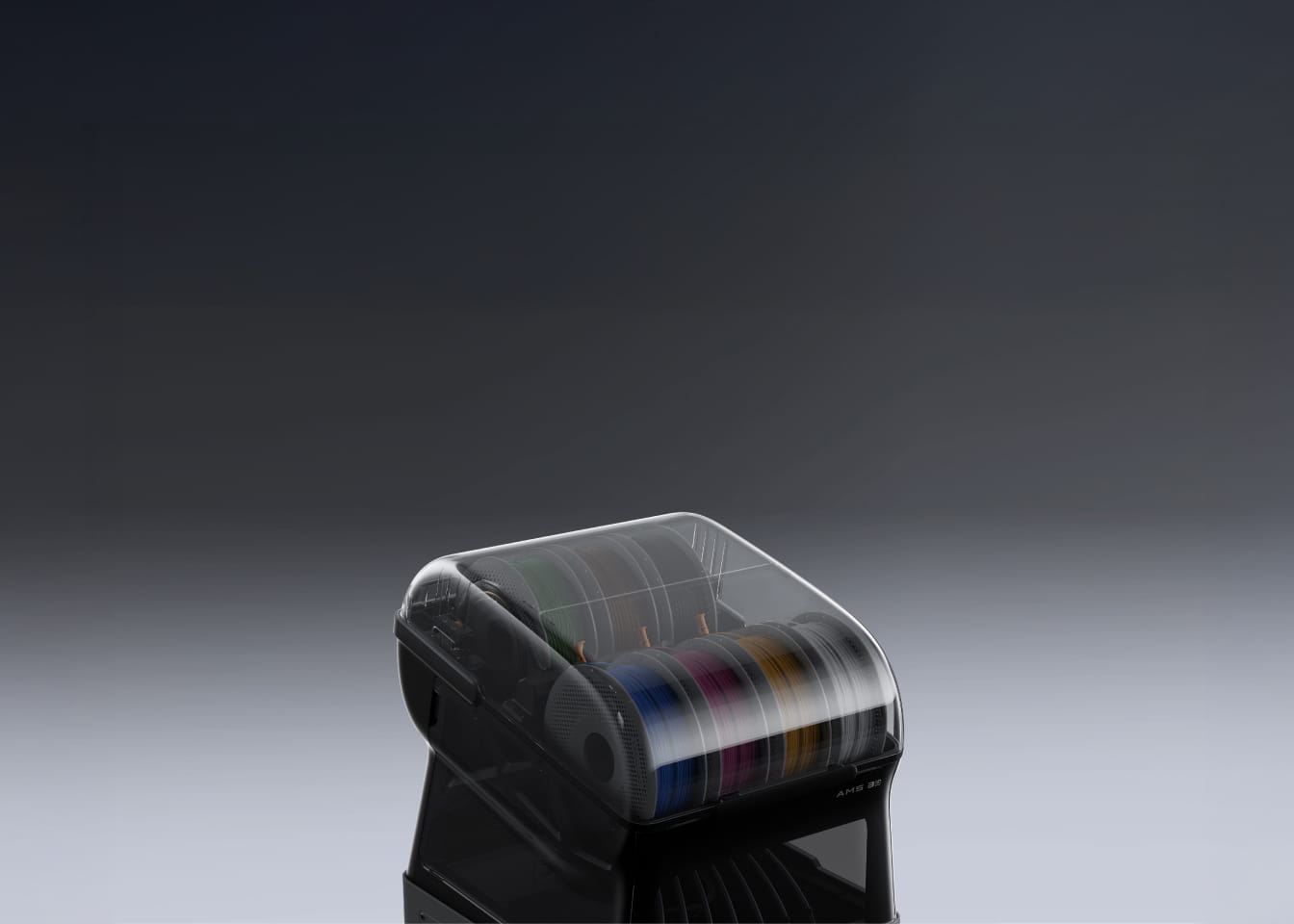
The AMS 3P gives seven filament spools a home inside the P3C, with sealed storage and dedicated internal filament paths that keep materials organized and ready to print. For moisture-sensitive filaments, the optional dual-slot Dryer Module adds active drying capabilities.
Integrated Design
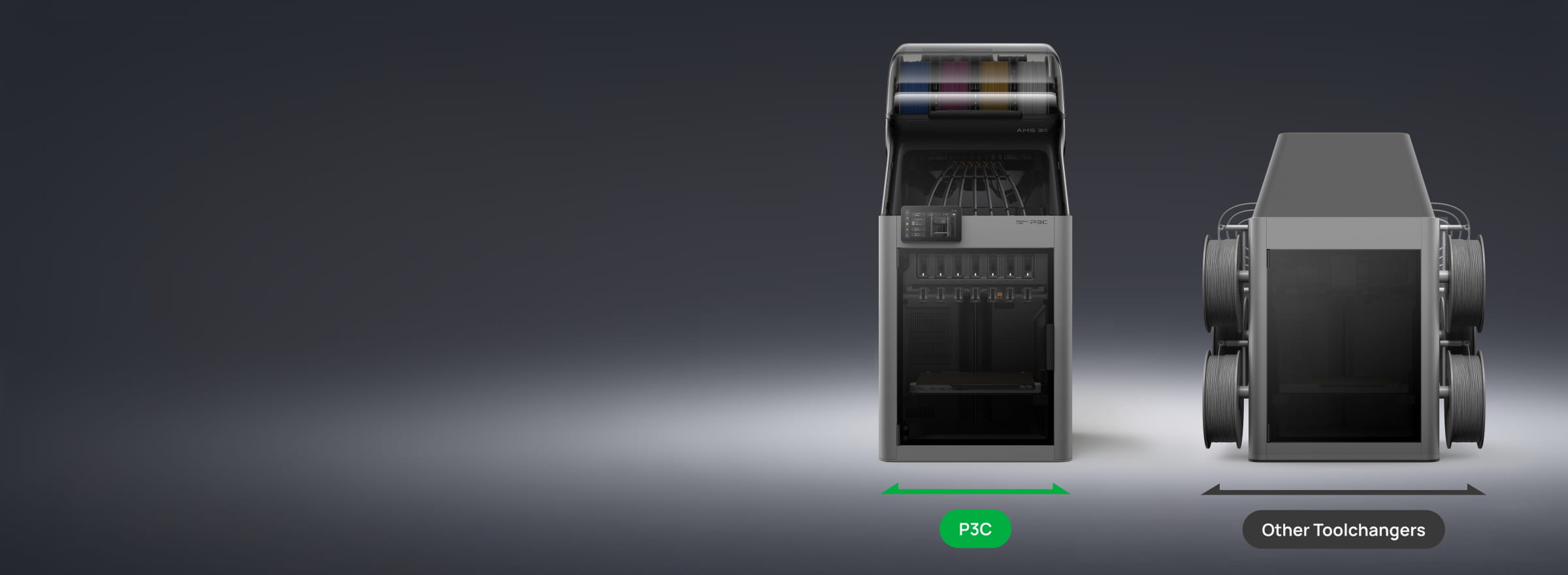
No spools hanging off the side, no exposed filament tubes cluttering your workspace. The AMS 3P keeps filament storage and feeding neatly integrated inside the P3C, freeing up valuable space for your tools, projects, and whatever creativity brings next.
Sealed Filament Storage
Filament can absorb moisture even when you're not printing. The AMS 3P keeps up to seven spools in a sealed chamber, helping protect them from ambient humidity and maintain filament quality. For materials that have already absorbed moisture, active drying is available with the optional Dryer Module.
Optional Dryer Module*
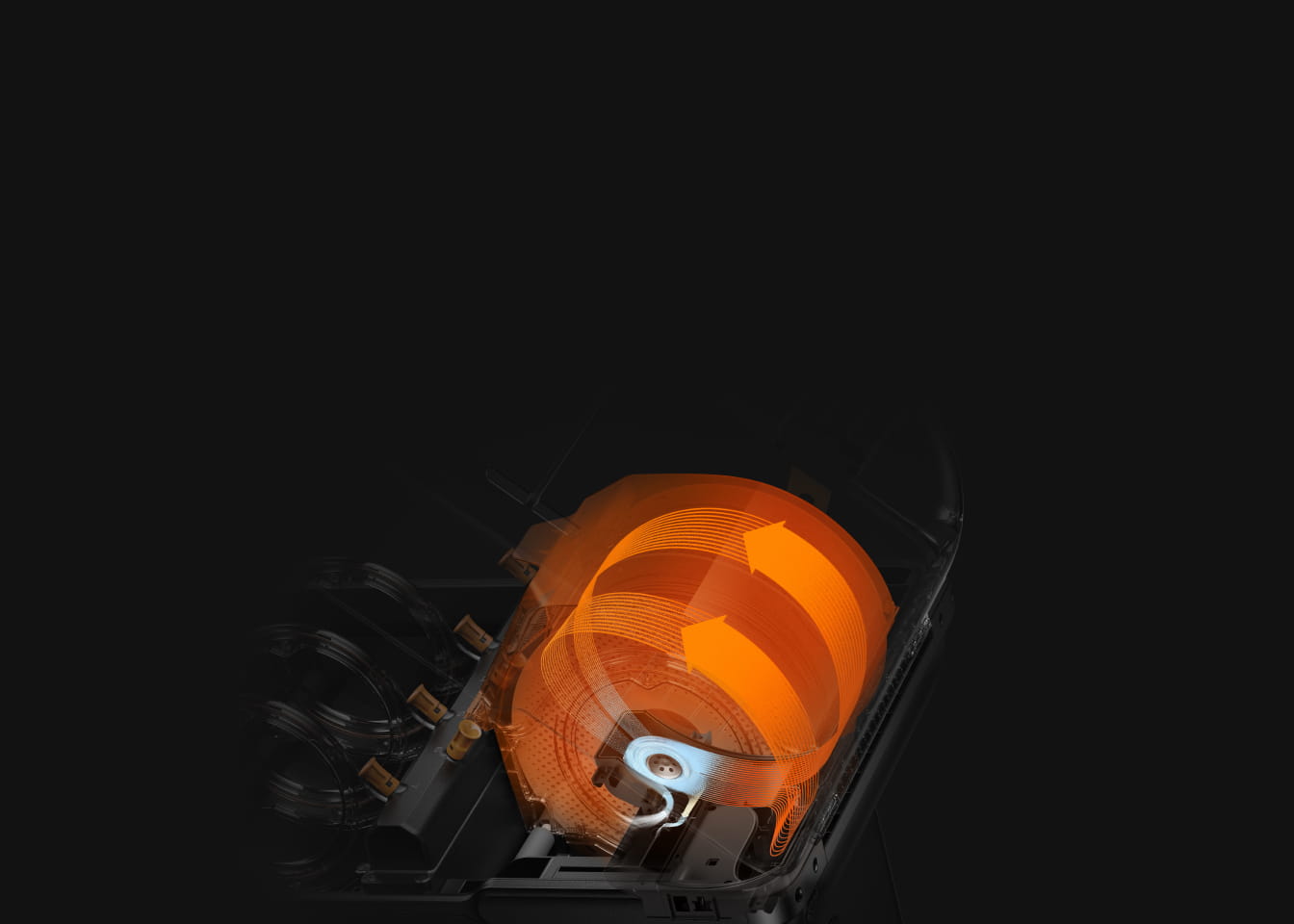
Sealed storage helps protect filament from ambient moisture, while active drying removes moisture already absorbed. The optional Dryer Module brings 75°C active drying to two AMS 3P slots, preparing moisture-sensitive materials for printing.* Select which spools to dry while keeping all seven neatly stored in one place.
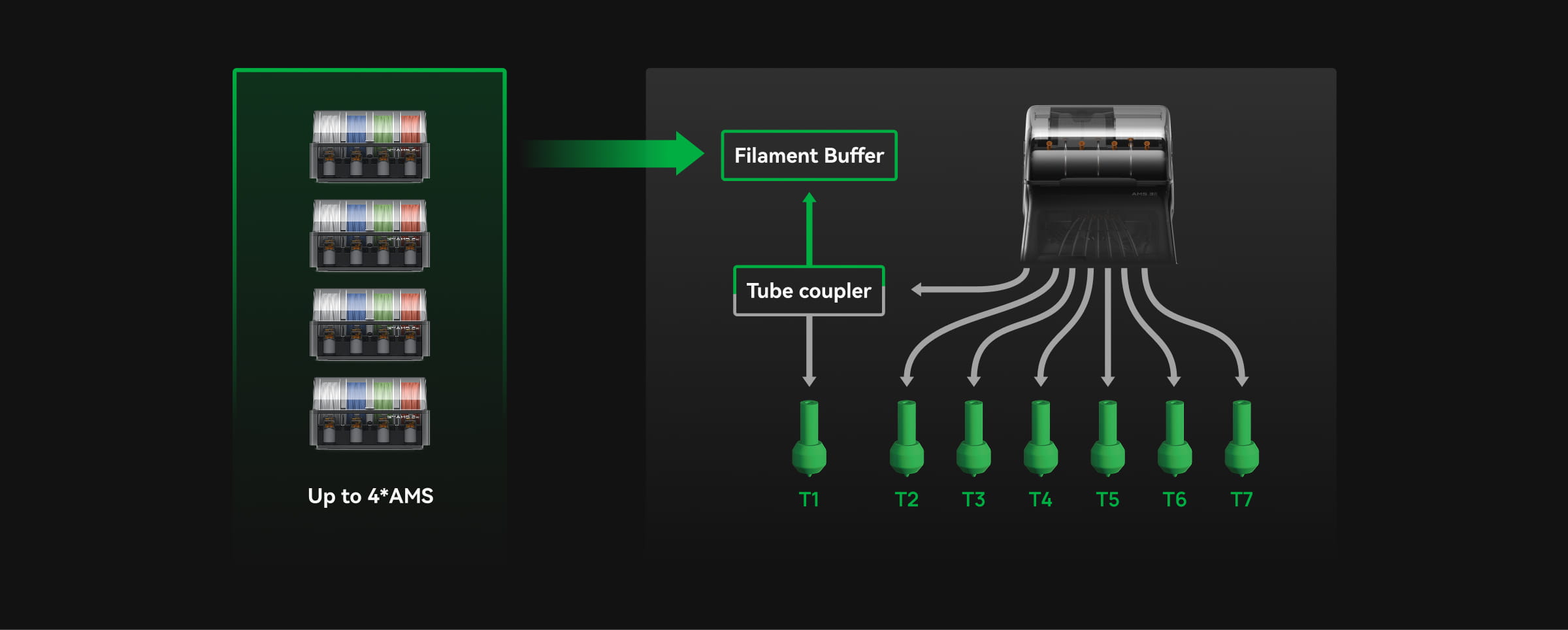
Auxiliary AMS
Seven Materials, with Room for More.
Most toolchangers cap their material count at the number of tools they have. The P3C doesn't. Connect any existing AMS unit through PrintTool No.1, and the system extends to up to 22 materials-same printer, same workflow, just more colors and materials in a single print. Already own an AMS? Plug it in. Nothing goes to waste.
Full-Auto Calibration
Let the P3C Handle the Alignment.
When printing with multiple PrintTools, precision is essential to ensure colors and materials align perfectly. The P3C automatically calibrates the Swaptek™ system and nozzle offsets before printing, ensuring accurate alignment between PrintTools without manual adjustments.
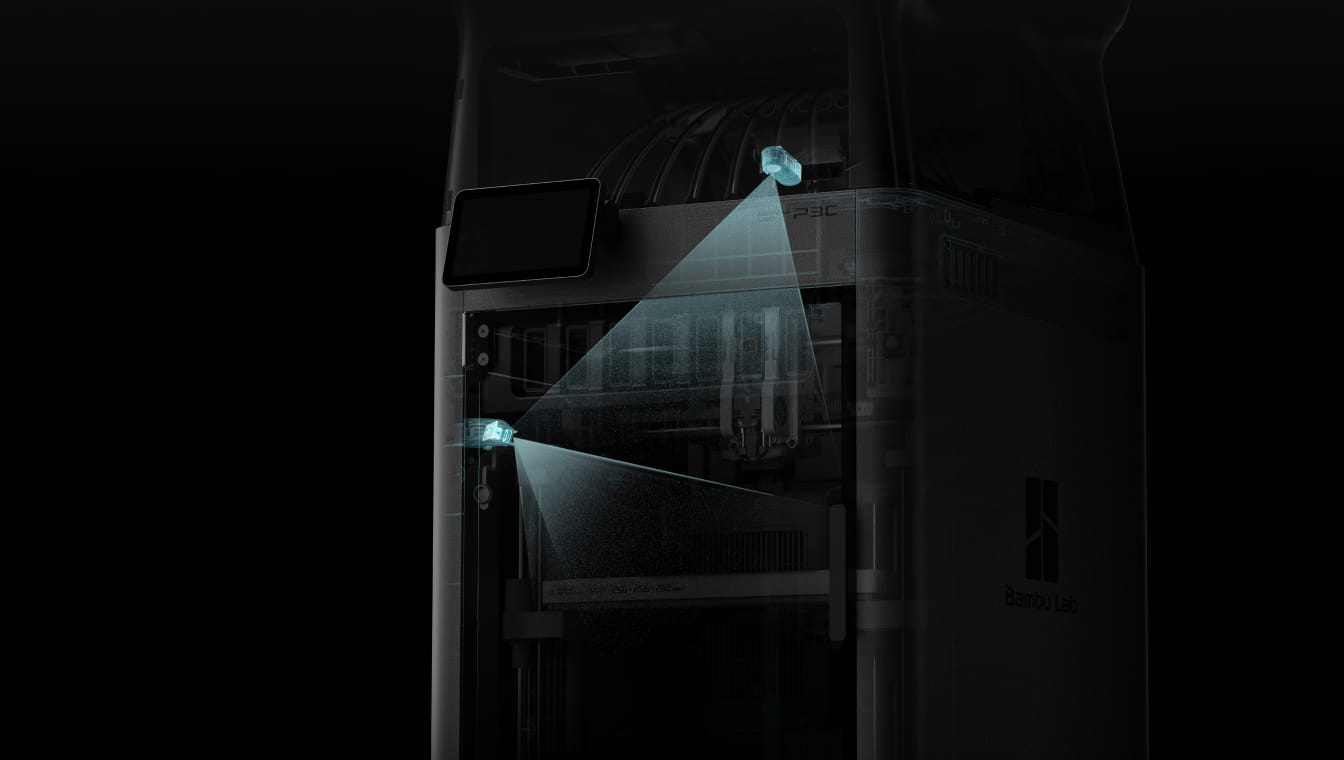
AI Monitoring
It Watches, So You Don't Have To.
The P3C's advanced vision system* monitors your print from preparation to completion. Before printing begins, it checks the chamber against your slicer settings and alerts you to potential mismatches. During printing, AI monitoring detects issues such as spaghetti failures, purge-bin jams, and clogs before they become bigger problems. Check in on your print whenever you like.
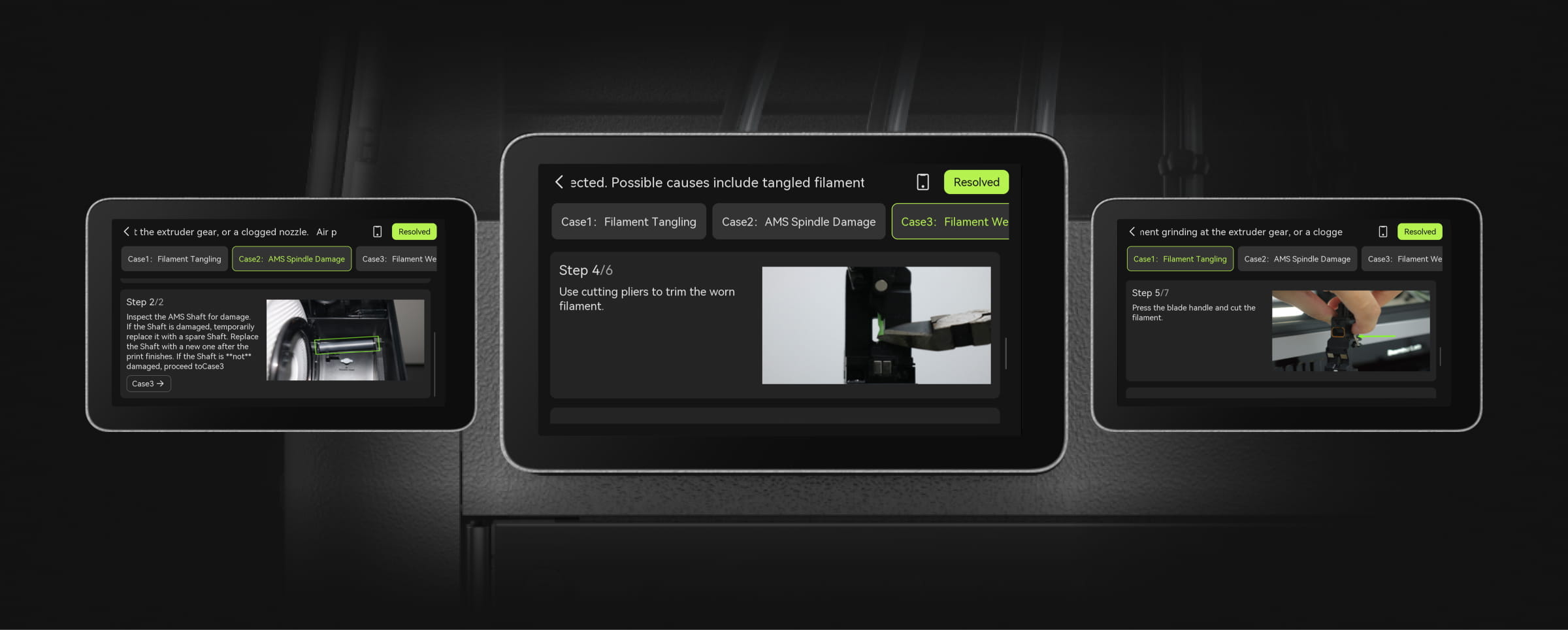
All-New HMS with MiniWiki*
Clear Guidance, Right on Your Screen.
An error message should do more than tell you something went wrong. The upgraded HMS helps identify potential causes and explains them in plain language, while MiniWiki provides step-by-step troubleshooting guidance directly on the printer's screen.* Less guesswork, faster troubleshooting, and more time spent creating.
Official Accessories
A Setup That Works for You.
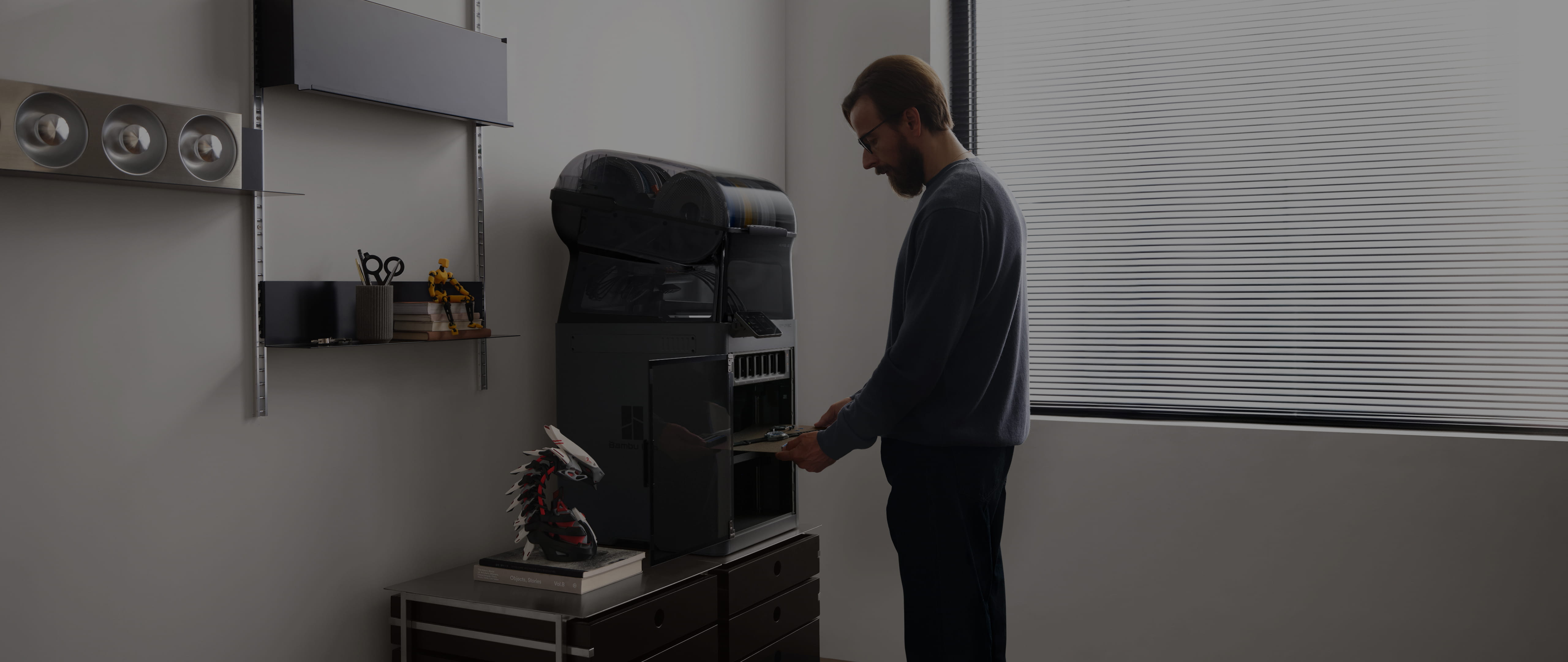
Make the P3C feel right at home in your workspace. From a dedicated station with built-in storage to an air filtration system that automatically activates when printing begins, Bambu Lab's optional accessories help you create a setup that fits your space and the way you work.
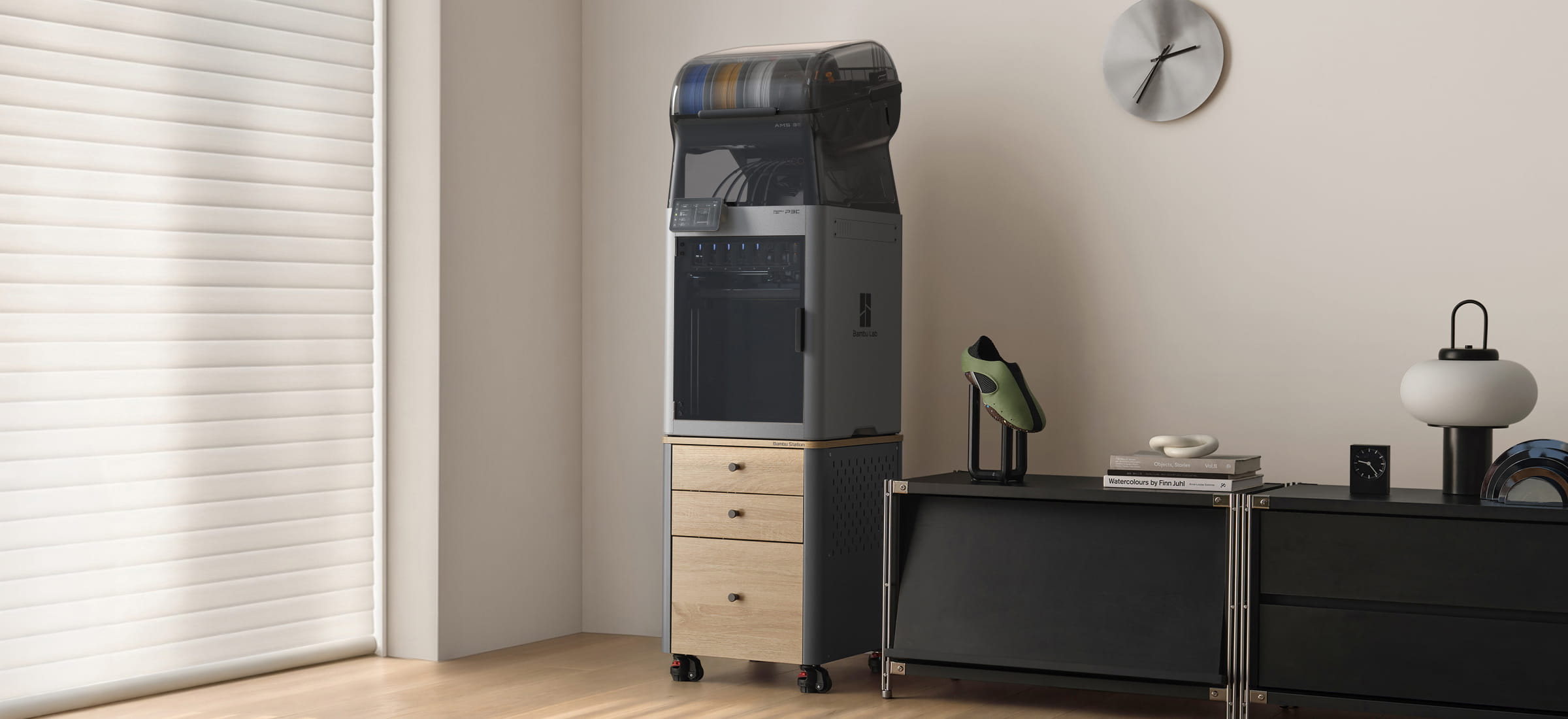
Bambu Station (Optional)
Comfortable Working Height, Convenient Storage Below.
Bambu Station raises the P3C to a comfortable working height, making filament loading, print monitoring, and routine maintenance easier. Built-in storage underneath keeps tools, spare filament, and other printing essentials organized and within easy reach.
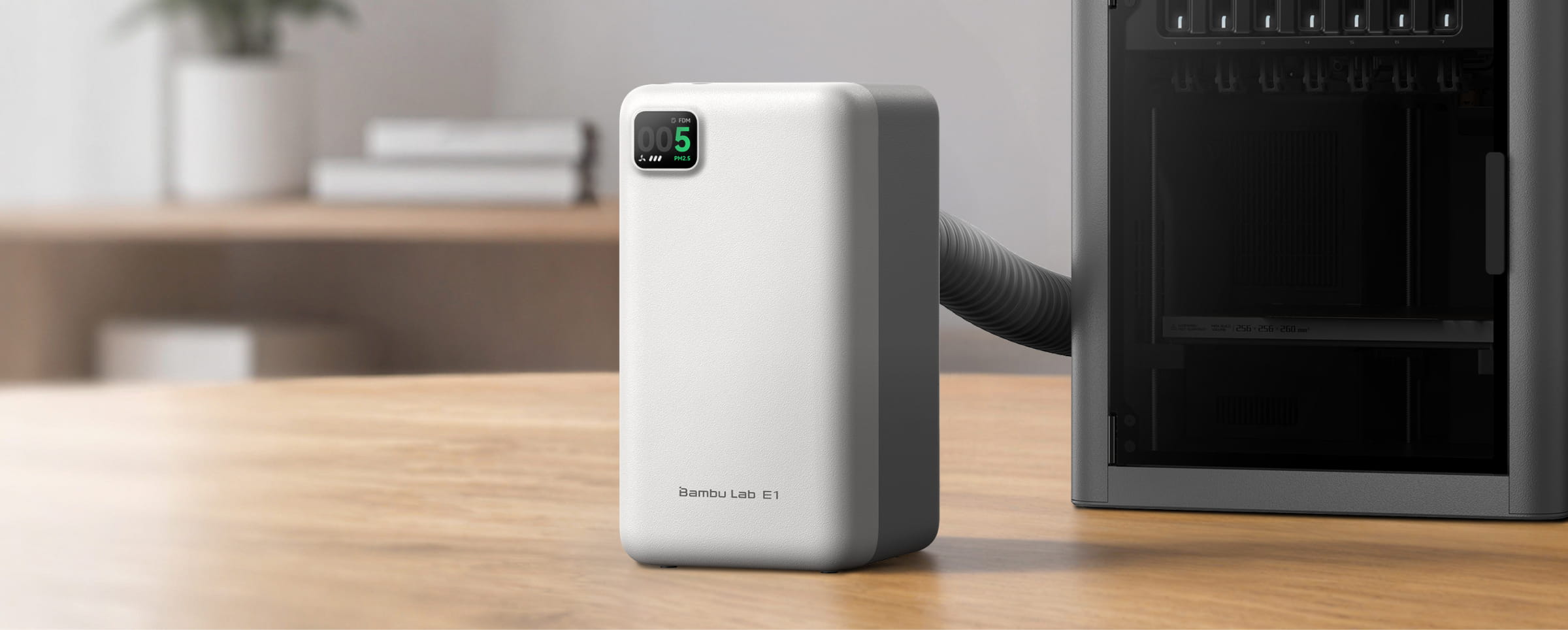
Bambu Lab E1 Air Purifier (Optional)
Filtration That Starts with Your Print.
The optional Bambu Lab E1 pairs with the P3C, automatically activating filtration when printing begins. It helps reduce unwanted odors, volatile organic compounds (VOCs), fine particles, and airborne microplastics for a cleaner, more comfortable workspace. For best results, use alongside proper ventilation.
It Captures What You Can Smell and What You Can't
VOCs
PM2.5
0.3μm
What's in the Box
| P3C Combo | P3C Multi-Colorist Combo (with filaments) | P3C Multi-Colorist Combo | P3C Multi-Material Combo (with 2.85mm TPU PrintTool) | P3C Complete Experience Combo | |
|---|---|---|---|---|---|
| 1 | 1 | 1 | 1 | 1 | |
| 1 | 1 | 1 | 1 | 1 | |
| 5 | 7 | 7 | 6 | 6 | |
| - | - | - | 1 | 1 | |
| 1 | 1 | 1 | 1 | 1 | |
| 1 | 1 | 1 | 1 | 1 | |
| - | 2 | - | - | - | |
| - | - | - | 1 | - | |
| - | - | - | - | 1 | |
| - | - | - | - | 1 | |
| - | - | - | - | 1 | |
| - | - | - | - | 1 |
Specifications
| Printing Technology | |
|---|---|
| Type | Fused Filament Fabrication |
| Body | |
| Build Volume (L * W * H) | 256*256*260 mm |
| Enclosure Type | Enclosed |
| Hotend Switching System | Bambu Lab SwapTek™ 7-Tool Switching |
| Chassis | Steel |
| Outer Frame | Plastic |
| Dimensions and Weight | |
| Package Dimensions | 510*565*625 mm |
| Product Dimensions | 413*538*540 mm |
| Recommended Installation Space | 513*960*1212 mm |
| Net Weight | 26.5 kg (including the AMS 3P) |
| Toolhead | |
| Extruder Gear | Hardened Steel |
| Included Nozzle Material | Hardened Steel |
| Max Nozzle Temperature | 300 °C |
| Included Nozzle Diameter | 0.4 mm |
| Supported Nozzle Diameter | 0.2 mm, 0.4 mm, 0.6 mm, 0.8 mm |
| Filament Cutter | Built into the PrintTool |
| Expansion Options | Supports the CraftTool (CutTool, DrawTool, and more coming) |
| Supported Filament Diameter | 1.75 mm, 2.85 mm (Bypass feed only) |
| Extruder Motor | Bambu Lab high-precision brushless servo motor with planetary gearbox |
| Heatbed | |
| Build Plate Material | Flexible Steel Plate |
| Included Build Plate Type | Textured PEI Plate |
| Supported Build Plate Type | Textured PEI Plate, Cool Plate SuperTack, Engineering Plate |
| Max Heatbed Temperature | 110 °C |
| Speed | |
| Max Speed of Toolhead | 1,400 mm/s |
| Max Acceleration of Toolhead | 25,000 mm/s² |
| Max Flow for Hotend | 40 mm³/s (Test parameters: 250 mm round model with a single outer wall; Bambu Lab ABS; 280 °C printing temperature) |
| Air Purification | |
| HEPA Filter Grade | H11 |
| Activated Carbon Filter Type | Granulated Coconut Shell |
| VOC Filtration | Excellent |
| Particulate Matter Filtration | Supported |
| Cooling | |
| Part Cooling Fan | Closed Loop Control |
| Hotend Cooling Fan | Closed Loop Control |
| Main Control Board Fan | Closed Loop Control |
| Auxiliary Part Cooling Fan | Closed Loop Control |
| Exhaust Fan | Closed Loop Control |
| Filaments Supported | |
| PLA, PETG, PCTG, TPU, EVA, PE, PP, PHA | Supported |
| PVA, BVOH, support filament | Supported |
| Carbon/glass fiber reinforced: PLA, PETG | Supported |
| ABS, ASA, HIPS, PA, PAHT, PC, PET, PPA
Carbon/glass fiber reinforced: ABS, ASA, HIPS, PA, PAHT, PC, PET, PPA |
Supported |
| Filament Drying | Optional |
| Sensor | |
| Live View Camera | Built-in; 1920*1080 |
| BirdsEye Camera | Optional; 3264*2448 |
| Door Sensor | Supported |
| Filament Run Out Sensor | Supported |
| Nozzle Clumping Sensor | Supported |
| Power Loss Recovery | Supported |
| Electrical Requirements | |
| Voltage | 100-120 VAC, 50/60 Hz |
| Max Power | 1000 W @ 110 V |
| Standby Power | Wi-Fi disconnected: 11.7–12.2 W
Wi-Fi connected: 12.2–12.7 W |
| Steady-State Power | PLA (25°C / 77°F): 210 W @ 110 V |
| Low Power Mode | 950 W |
| Environmental Requirements | |
| Operating Temperature | 10 °C - 30 °C / 50 °F - 86 °F |
| Electronics | |
| Touchscreen | 5-inch 854*480 touchscreen |
| Storage | Built-in 64 GB EMMC and USB port |
| Control Interfaces | Touchscreen, mobile App, PC App |
| Motion Controller | Single-core Cortex-M4 and single-core Cortex-M7 |
| Application Processor | Quad-core ARM with dedicated NPU |
| Software | |
| Slicer | Bambu Studio; Supports third-party slicers which export standard G-code, such as Super Slicer, PrusaSlicer and Cura, but certain advanced features may not be supported. |
| Network Control | |
| Ethernet | Not available |
| Wireless Network | Wi-Fi 6 |
| Network Kill Switch | Not available |
| Removable Network Module | Not available |
| 802.1X Network Access Control | Not available |
| Wi-Fi | |
| Operating Frequency | 2412 - 2472 MHz, 5150 - 5850 MHz (FCC/CE)
2400 - 2483.5 MHz, 5150 - 5850 MHz (SRRC) |
| Wi-Fi Transmitter Power (EIRP) |
2.4 GHz: <23 dBm (FCC); <20 dBm (CE/SRRC/MIC)
5 GHz Band1/2: <23 dBm (FCC/CE/SRRC/MIC)
5 GHz Band3: <30 dBm (CE); <24 dBm (FCC)
5 GHz Band4: <23 dBm (FCC/SRRC); <14 dBm (CE)
|
| Wi-Fi Protocol | IEEE 802.11 a/b/g/n/ac/ax |
AMS 3P Specifications
| Body | |
|---|---|
| Package Dimensions | 460*555*485 mm |
| Product Dimensions | 405*505*425 mm |
| Net Weight | 6.6 kg |
| Spool Capacity | 7 |
| Housing | PC/ABS |
| Printing | |
| Filaments Supported by the Feeding Funnel | PLA, PETG, PCTG, TPU for AMS, EVA, PE, PP, PHA, PVA, BVOH, support filament, ABS, ASA, HIPS, PC, PA, PET;
Carbon/glass fiber reinforced: PLA, PETG, PA, PET, PC, ABS, ASA |
| Filaments Supported by the Bypass Feed | TPU |
| Filaments Supported by the external spool | PLA, PETG, PCTG, TPU, EVA, PE, PP, PHA, PVA, BVOH, support filament, ABS, ASA, HIPS, PC, PA, PET;
Carbon/glass fiber reinforced: PLA, PETG, PA, PET, PC, ABS, ASA, PPA |
| Supported Filament Diameter | 1.75 mm, 2.85 mm (Bypass feed only) |
| Supported Spool Dimension | Width: 50 mm - 68 mm; Diameter: 197 mm - 202 mm |
| RFID Identification | Supported |
| Drying (Optional) | |
| Max Drying Temperature | 75 °C |
| Drying Capacity | 2 |
| Active Moisture Discharge | Supported |
| Sealed Storage | Supported |
| Temperature and Humidity Detection and Maintenance | Supported. Real-time temperature and humidity can be displayed on the screen, Bambu Studio, and Bambu Handy. |
| Voltage | 100-240 VAC, 50/60 Hz |
| Max Power | 65 W |
| Steady-State Power | 52 W |
Notes: 1) The printer comes standard with 5 PrintTools and supports switching between up to 7 Tools. You can purchase additional PrintTools or CraftTools as needed. 2) For Bambu Lab filament, the initial weight can be read automatically through RFID or entered manually. For third-party filament, enter the initial weight manually. 3) The printer's voltage specifications vary by sales region. Before use, please check the label next to the power socket on the printer to ensure the supplied voltage matches the indicated voltage. 4) To quickly heat the heatbed to the required temperature, the printer will run at maximum power for about 3–5 minutes. 5) If the circuit has limited power capacity, you can enable Low Power Mode. After it is enabled, the total energy use remains unchanged, and the heatbed and chamber will heat up more slowly.
Display prices in:PKR